Banana Pro specifications
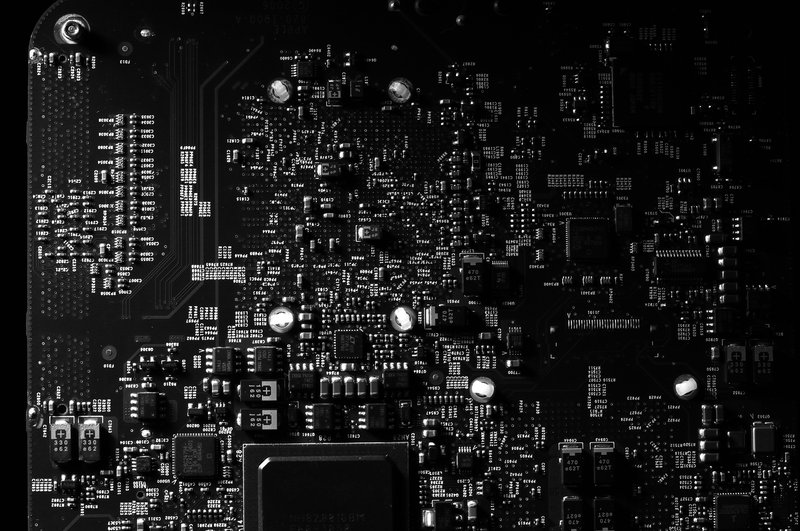
Summary
This page provides detailed technical specifications for the Banana Pro single-board computer, including processor capabilities, WiFi/Bluetooth features, storage interfaces, network performance, GPIO pinouts, power requirements, and verification commands. Use this reference when selecting compatible peripherals, diagnosing hardware issues, or planning software deployments.
Processor and memory
- SoC: Allwinner A20 dual-core ARM Cortex-A7, 1 GHz (ARMv7)
- GPU: ARM Mali-400 MP2 (dual-core, OpenGL ES 2.0)
- RAM: 1 GB DDR3 (shared with GPU, typically 900950 MB available to OS)
- Instruction set: 32-bit ARMv7 with NEON SIMD extensions
- L1 cache: 32 KB instruction + 32 KB data per core
- L2 cache: 256 KB shared
Verification:
# Check CPU model and frequency:
lscpu | grep -E "Model name|MHz"

# Confirm detected cores:
nproc

# Check available memory:
free -h
Storage interfaces
- microSD slot: Boot and primary storage, supports SDHC/SDXC up to 64 GB (larger cards work but may require manual partitioning)
- SATA interface: SATA II (3 Gbps), supports 2.5-inch SSDs and HDDs. Power provided via the board (max 500 mA at 5V); 3.5-inch drives require external power.
- eMMC: Not present on Banana Pro (use microSD or SATA)
Performance expectations:
- microSD sequential read: 2040 MB/s (varies by card class)
- SATA II sequential read: 200280 MB/s (limited by SATA II and CPU overhead)
- Random I/O: microSD is poor (1002000 IOPS); SATA SSD delivers 510k IOPS for small workloads
Verification:
# List storage devices:
lsblk

# Test microSD read speed:
sudo hdparm -t /dev/mmcblk0

# Test SATA drive (if connected):
sudo hdparm -t /dev/sda

# Check filesystem usage:
df -h
Network interfaces
- Ethernet: Gigabit Ethernet (10/100/1000 Mbps), Realtek RTL8211E PHY, supports autonegotiation and full-duplex
- WiFi: 802.11 b/g/n (2.4 GHz), Broadcom AP6210 module, supports client and access point modes
- Bluetooth: Bluetooth 4.0 (includes LE support), integrated with AP6210 module
Performance expectations:
- Gigabit Ethernet: 800900 Mbps TCP throughput (iperf3), limited by CPU overhead
- WiFi 802.11n: 4060 Mbps TCP throughput at close range, drops to 1030 Mbps at 10+ metres or through walls
- Bluetooth: 12 Mbps theoretical (Bluetooth 4.0 spec), practical throughput 500700 Kbps for data transfer
Verification:
# Ethernet interface and speed:
ethtool eth0 | grep -E "Speed|Duplex|Link"

# WiFi interface status:
iw dev wlan0 info
iw dev wlan0 link  # Signal strength and connection details

# Bluetooth controller:
hciconfig hci0
sudo hcitool scan  # Scan for nearby Bluetooth devices

# Network throughput test (requires iperf3 server):
iperf3 -c  -t 30
GPIO and expansion interfaces
- 40-pin GPIO header: Largely compatible with Raspberry Pi Model B+ pinout
- GPIO count: 28 usable GPIO pins (3.3V logic level)
- I2C: 2 buses (I2C-0, I2C-1), 400 kHz standard speed
- SPI: 1 bus (SPI0), supports up to 10 MHz clock
- UART: 1 serial console (UART0, 3.3V TTL, 115200 baud default), additional UARTs available via GPIO muxing
- PWM: 2 hardware PWM channels
- Interrupt support: Most GPIO pins support edge-triggered interrupts (rising, falling, both)
Voltage warning: All GPIO pins are 3.3V. Connecting 5V signals directly will damage the board. Use level shifters for 5V peripherals.
Verification:
# List available GPIO chips:
ls /sys/class/gpio

# Export a GPIO pin (example: GPIO 17):
echo 17 > /sys/class/gpio/export
echo out > /sys/class/gpio/gpio17/direction
echo 1 > /sys/class/gpio/gpio17/value

# Check I2C buses:
i2cdetect -l
sudo i2cdetect -y 0  # Scan I2C-0 for devices

# UART console (via USB-to-UART adapter):
screen /dev/ttyUSB0 115200
USB ports
- USB 2.0 host: 2 ports, 480 Mbps per port (shared 480 Mbps total bandwidth via internal hub)
- USB OTG: 1 port (microUSB), supports host and device modes (requires OTG cable for host mode)
- Power delivery: Each USB port supplies up to 500 mA (standard USB 2.0 spec). High-power devices (external HDDs, USB WiFi adapters) require a powered USB hub.
Verification:
# List USB devices:
lsusb

# Check USB bus details:
lsusb -t

# Monitor USB events (hotplug):
dmesg -w
# Then connect/disconnect a USB device and watch for messages.
Video and audio
- HDMI: HDMI 1.4, 1080p60 maximum resolution, audio over HDMI supported
- LVDS: 1 channel, for parallel LCD panels (requires device tree configuration)
- Composite video: CVBS output via 3.5mm jack (requires adapter cable)
- Audio out: 3.5mm stereo jack, HDMI audio
- Audio in: On-board MEMS microphone (mono)
- IR receiver: Consumer IR (CIR) for remote control input (lirc compatible)
Verification:
# List audio devices:
aplay -l

# Test audio output (WAV file):
aplay /usr/share/sounds/alsa/Front_Center.wav

# Record from microphone (10 seconds):
arecord -d 10 -f cd test.wav

# Check HDMI display mode:
cat /sys/class/drm/card0/card0-HDMI-A-1/modes
Power requirements
- Input: 5V DC via 3.5mm barrel jack (centre positive), 2 A minimum, 2.5 A recommended
- Idle consumption: 1.52.0 W (300400 mA at 5V)
- Typical load: 2.54.0 W (500800 mA) with Ethernet, WiFi idle, light CPU usage
- Peak load: 5.07.0 W (11.4 A) with WiFi transmitting, USB peripherals, CPU at 100%, SATA drive active
- Undervoltage threshold: Below 4.75V, expect random reboots and microSD corruption. Use a regulated supply and short, thick power cables.
Verification:
# Check for under-voltage events in kernel log:
dmesg | grep -i voltage

# Monitor CPU frequency scaling (confirms power/thermal throttling):
watch -n 1 cat /sys/devices/system/cpu/cpu0/cpufreq/scaling_cur_freq
Thermal management
- Operating temperature: 040?C ambient (specified)
- Typical idle temperature: 4050?C (no heatsink, 25?C ambient)
- Typical load temperature: 6075?C (sustained CPU + WiFi load)
- Throttling threshold: Most kernels throttle at 8085?C
- Heatsink recommended: For sustained loads (compiling, video encoding, 24/7 services), add a passive heatsink or small fan
Verification:
# Read CPU temperature (millidegrees Celsius):
cat /sys/class/thermal/thermal_zone0/temp

# Monitor temperature continuously:
watch -n 2 cat /sys/class/thermal/thermal_zone0/temp

# Check throttling status:
cat /sys/devices/system/cpu/cpu0/cpufreq/scaling_governor
cat /sys/devices/system/cpu/cpu0/cpufreq/scaling_available_frequencies
Boot sequence and device tree
The Banana Pro boot process:
- BROM (Boot ROM): On-chip bootloader searches for SPL (Secondary Program Loader) on microSD, then NAND (if present).
- SPL (U-Boot SPL): Initializes DRAM and loads U-Boot proper.
- U-Boot: Loads kernel (zImage or uImage) and device tree blob (DTB) from /boot partition.
- Kernel: Initializes hardware according to device tree, mounts root filesystem, starts init system (systemd or SysVinit).
Device tree files are typically named sun7i-a20-bananapro.dtb. To inspect:
# Check loaded device tree:
cat /proc/device-tree/model

# Decompile device tree to readable format:
dtc -I fs -O dts /proc/device-tree > current-dt.dts
less current-dt.dts
When you're tweaking boot behaviour, device tree overlays, or bring-up scripts, the fastest way to lose a day is a tiny typo in a bash one-liner or a misread of what U-Boot is actually loading. It's worth treating these boards like 'small servers': keep changes versioned, add a simple rollback plan, and sanity-check every assumption (DTB name, boot partition, expected kernel args) before you reboot remotely. If you're using AI assistants to speed up shell snippets, DTS edits, or verification commands, pick one that's strong on correctness and long-context refactors rather than autocomplete. See this guide on the best AI coding tools for a good starting point.
Known limitations
- RAM constraint: 1 GB shared between CPU and GPU limits multi-tasking. Heavy applications (web browsers with many tabs, large databases) may trigger OOM (out-of-memory) kills. Configure swap for memory-intensive workloads.
- USB bandwidth: Two USB 2.0 ports share a single 480 Mbps bus. Simultaneous high-speed transfers (e.g., two USB 3.0 drives) are bottlenecked.
- WiFi 2.4 GHz only: No 5 GHz support. In congested 2.4 GHz environments, throughput degrades significantly.
- No hardware video encoding: The Mali-400 GPU supports video decoding (H.264, MPEG-2) but not encoding. Software encoding (ffmpeg, x264) is CPU-bound and slow.
- No real-time capabilities: Standard Linux kernel; not suitable for hard real-time applications without RT_PREEMPT patches.
Frequently asked questions
Q: Can I overclock the CPU?
A: Yes, but not recommended without active cooling. Edit /boot/armbianEnv.txt or equivalent to increase max frequency. Monitor temperature carefully; exceeding 85?C causes throttling or instability.
Q: How much power does WiFi consume?
A: WiFi adds 300500 mA when active (transmitting/receiving). Bluetooth adds 5080 mA. Total peak current with WiFi + Bluetooth + peripherals can reach 1.5 A.
Q: Can I use a USB WiFi adapter instead of the on-board WiFi?
A: Yes. Disable the on-board WiFi (blacklist the brcmfmac driver) and use a USB adapter with better Linux support (e.g., Realtek RTL8812AU for 5 GHz).
Q: What is the GPIO pinout?
A: See the Banana Pro wiki page for a detailed pinout diagram. Most pins are 3.3V compatible with RPi accessories, but verify voltage levels before connecting.
Q: Can I boot from SATA without a microSD card?
A: No. The bootloader (U-Boot) must reside on microSD. You can move the root filesystem to SATA for better performance, but the boot partition remains on microSD.
Q: Why does the board reboot when I connect a USB hard drive?
A: USB HDDs draw 5001000 mA during spin-up, exceeding the board's USB current limit. Use a powered USB hub or a SATA-to-USB adapter with external power.
Q: How do I enable the IR receiver?
A: Install lirc and configure the CIR device. Most distributions include pre-configured profiles for common remotes. See /etc/lirc/lircd.conf for configuration.
Related guides
- Banana Pro overview
- Resources and downloads
- Network setup notes
- Boot and storage notes
- Ubuntu Portal – external guides for Ubuntu and Ubuntu-based distributions commonly used on Banana Pro
Author: LeMaker Documentation Team
Last updated: 2026-01-10