LeMedia
Summary
This page explains what 'LeMedia' referred to in the LeMaker archive and gives practical next steps if you are trying to install, recover, or validate a LeMedia image today.
The main outcome is a reliable bring-up path: verify the download, flash safely, boot with stable power and storage, then run a short set of checks so you can tell whether issues are caused by power, storage, networking, or the image itself.
Who this is for
People installing or recovering LeMedia images, and anyone returning to older downloads who needs a safe, repeatable process to validate boot and storage.
What you'll do
- Verify the image file integrity before you flash anything.
- Flash to known-good storage and confirm partitions are detected.
- Boot with Ethernet and minimal peripherals to reduce variables.
- Capture logs early and keep a baseline boot report.
- Use a troubleshooting checklist focused on power, storage, and networking.
What LeMedia is (neutral)
In the LeMaker archive, 'LeMedia' refers to a set of images/builds and related notes used for media-oriented setups. The exact contents can vary by release and time period, so the most important thing is to treat the image as a specific artefact: verify it, flash it safely, and keep a record of which file you used.
Quick checklist
- Stable PSU and cable (random resets often indicate power issues).
- Known-good SD card / storage and a reliable writer.
- Ethernet cable for first boot (recommended).
- Optional: serial console adapter for recovery and early boot logs.
- Image file from the downloads hub or mirror.
- Checksum (or published hash) to verify the download.
- Spare storage available for quick A/B testing.
LeMedia Status for Banana Pi/Pro
?? LeMedia Project Discontinued
Last version: v1.0 (2014-11-17)
Status: Project discontinued - no maintained images available
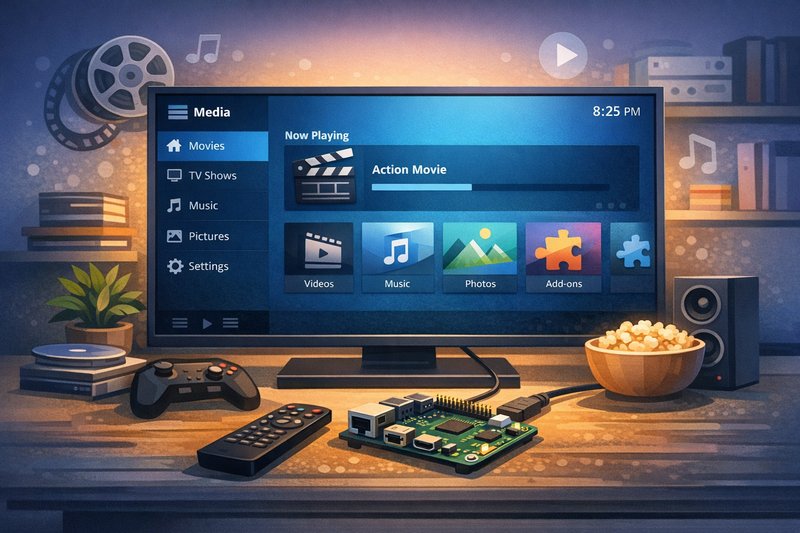
Original base: Linux with XBMC/Kodi media center
LeMedia was a media-oriented Linux distribution for Banana Pi. The project has been abandoned and there are no recent builds or security updates.
? Modern Media Center Alternatives
Option 1: Kodi on Armbian (Recommended)
Install Armbian (Debian/Ubuntu) and add Kodi media center:
sudo apt update
sudo apt install kodi kodi-peripheral-joystick
# Configure Kodi to start at boot if desired
Option 2: LibreELEC (Generic A20 Build)
LibreELEC is a dedicated media center OS. Check for generic Allwinner A20 builds compatible with Banana Pi.
Download sources:
- Armbian for Banana Pi M1+ - Base OS, then install Kodi
- LibreELEC Downloads - Check for Allwinner A20 support
- LeMaker Mirror (Legacy LeMedia archives)
Steps / guidance
- Find the image via internal links. Use the downloads hub, and if you need a direct directory view use the internal mirror.
- Verify integrity before flashing.
sha256sum lemedia-image.img.xz sha256sum lemedia-image.img - Flash to storage and confirm it was written to the correct device.
lsblk # Confirm the SD card size and device name before writing lsblk - Boot with minimal peripherals. Power + storage + Ethernet. If something fails, don't change multiple things at once.
- Establish access and capture logs early.
uname -a ip a lsblk journalctl -b -p err | tail -n 120 dmesg --color=never | tail -n 120 - Once stable, update and reboot once under supervision. Keep a console open. After reboot, repeat the verification checks.
Verification checks
Use these to confirm the system is healthy (pick at least two):
lsblk
ip a
dmesg | tail -n 50
journalctl -b -p err | tail -n 120
Troubleshooting
- No boot / stuck early: treat PSU/cable and storage as suspects; try a different SD card; re-flash from a verified download; capture serial logs if available.
- Boot loop or random resets: swap the PSU/cable; remove USB peripherals; test with minimal draw.
- Storage not detected: check
lsblk; reseat or re-flash; try known-good storage. - No network: prefer Ethernet; check
ip aandip r; confirm DNS withcat /etc/resolv.conf. - Services failing: use
systemctl --failedandjournalctl -b -p errto pinpoint the failure class.
Common mistakes
- Skipping checksum verification and debugging a corrupted flash.
- Changing power, storage, and image at the same time (making results non-repeatable).
- Trying to troubleshoot networking before confirming the board is stable (no resets, no storage errors).
- Assuming a 'working' SD card is reliable under SBC write loads.
- Not capturing logs on the first failure and losing the evidence after reboot.
Related guides
Author: LeMaker Documentation Team
Last updated: 2026-01-20